

Virtual Tools for Previewing Paint Colors: Transform Your Home with Confidence
- bhuntington2
- Jun 9
- 4 min read
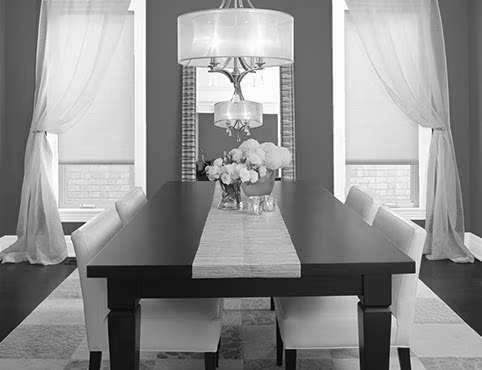
At Liberty Painting in Bentonville, Arkansas, we’ve helped countless homeowners and businesses turn their vision into reality with professional painting services. One of the biggest challenges in any painting project? Choosing the right color. What looks perfect on a small paint chip can feel entirely different once it covers an entire wall and is exposed to your home’s unique lighting. That’s why virtual paint color preview tools have become gamechangers for our clients throughout Northwest Arkansas.
These free or low-cost digital tools let you upload photos of your space and virtually “paint” walls with thousands of real paint colors. They eliminate guesswork, reduce costly mistakes, and help you make confident decisions before we ever pick up a brush. In this article, we’ll explore the best virtual tools, how they work, and real-world examples of the results they deliver.
Why Use Virtual Paint Color Visualizers?
Lighting, room size, furniture, and existing decor all dramatically affect how a paint color appears. A soft gray might look calming in a bright, south-facing living room but feel cold and dreary in a north-facing bedroom. Traditional swatches and samples help, but virtual tools provide a fuller picture.
Benefits include:
Instant experimentation: Test dozens of shades in minutes.
Lighting simulation: Many tools show day vs. night views.
Cost savings: Avoid buying multiple gallons of the “wrong” color.
Better collaboration: Share previews with family or your painting contractor (like our team at Liberty Painting).
AR capabilities: Some apps let you preview colors in real-time through your phone’s camera.
For Bentonville homeowners dealing with our mix of natural light, wooded views, and modern or traditional homes, these tools are especially valuable.
Top Virtual Paint Preview Apps and Programs
Here are some of the most popular and effective options available in 2026:
1. Sherwin-Williams ColorSnap / Color Expert App
This stands out as one of the most user-friendly tools. Available as a free mobile app (iOS and Android) and web visualizer, it allows photo uploads or live AR previews. Drag-and-drop colors from their extensive palette or use the camera to match existing elements in your room. It includes daylight and nighttime simulations. Many clients love its realistic rendering for both interiors and exteriors.
2. Benjamin Moore Personal Color Viewer and Color Portfolio App
The Personal Color Viewer works best on desktop or tablet for detailed photo uploads. You define surfaces and apply colors from Benjamin Moore’s premium collections. The mobile Color Portfolio app adds photo visualizers, color matching, and virtual fan decks. It’s prized for color accuracy with their paints.
3. Behr ColorSmart
Behr’s tool and app excel at quick visualizations. Upload your room photo and test colors from their popular lines like Marquee. It offers strong coordination suggestions and works well for vibrant or neutral palettes common in Northwest Arkansas homes.
4. Other Strong Options
Valspar Virtual Painter (great for Lowe’s shoppers; paints furniture and accents too).
PPG Paints Visualizer (fast edge detection for clean wall selection).
Emerging AI tools like Remodel AI or similar platforms generate highly photorealistic previews, sometimes beyond basic brand tools.
Most are free to use, though premium features or sample ordering may have costs.
What the Results Look Like: Real Examples
Imagine uploading a photo of your Bentonville living room with its current beige walls, oak flooring, and large windows overlooking the Ozarks.
Example 1: Neutral Refresh: You test “Agreeable Gray” (SW 7029) using Sherwin-Williams ColorSnap. The preview shows how the soft greige warms up with afternoon sunlight streaming in, making the room feel larger and more cohesive with your existing furniture. Side-by-side comparison with the current color highlights the subtle transformation without overwhelming the space. In night mode, it reveals a cozier, more intimate feel.
Example 2: Bold Accent Wall: In a home office, you apply Benjamin Moore’s “Hale Navy” to one wall via the Personal Color Viewer. The tool accurately masks the wall edges, showing how the deep blue adds drama and focus while contrasting nicely with white trim and natural wood. You can adjust for different times of day to ensure it doesn’t feel too dark during evening Zoom calls.
These previews aren’t perfect, screen colors vary slightly from real paint, and factors like sheen (matte vs. eggshell) and texture matter, but they get you 80-90% there. We always recommend ordering physical samples to view in your actual space as the final check.
In one recent Liberty Painting project, a Rogers homeowner used these tools to narrow down exterior colors for their brick home. The virtual previews helped them confidently select a crisp white trim with a warm stone body color, avoiding a stark modern look that wouldn’t suit the neighborhood.
Tips for Best Results
Take high-quality, well-lit photos from multiple angles.
Define edges carefully (many tools have auto-detection).
Test colors at different times of day.
Consider undertones. Blues, greens, or warms based on your lighting and decor.
Combine with professional advice. Our experienced team at Liberty Painting can review your previews and recommend the right paint brands, finishes, and application techniques for lasting beauty.
Bring Your Vision to Life with Liberty Painting
Virtual tools make color selection exciting and stress-free, but nothing replaces expert execution. At Liberty Painting in Bentonville, AR, we use high-quality paints from Sherwin-Williams, Benjamin Moore, Behr, and others. We serve Bentonville, Rogers, Fayetteville, and surrounding areas with interior, exterior, cabinet refinishing, and commercial painting services.
Ready to preview your perfect colors and schedule a professional job?
Contact or call (479-640-4675) us today for a free estimate. Let’s make your home look its best with colors you’ll love for years to come.


Comments